A wobbling fan is more than just an annoyance—it can signal underlying mechanical issues, reduce your fan’s efficiency, and even pose safety risks. Whether you’re dealing with a ceiling fan, pedestal fan, or table fan, understanding the root causes of wobbling can help you restore smooth, quiet operation. Below, we explore the most common reasons fans wobble and provide practical, easy-to-follow solutions.
Unbalanced Fan Blades
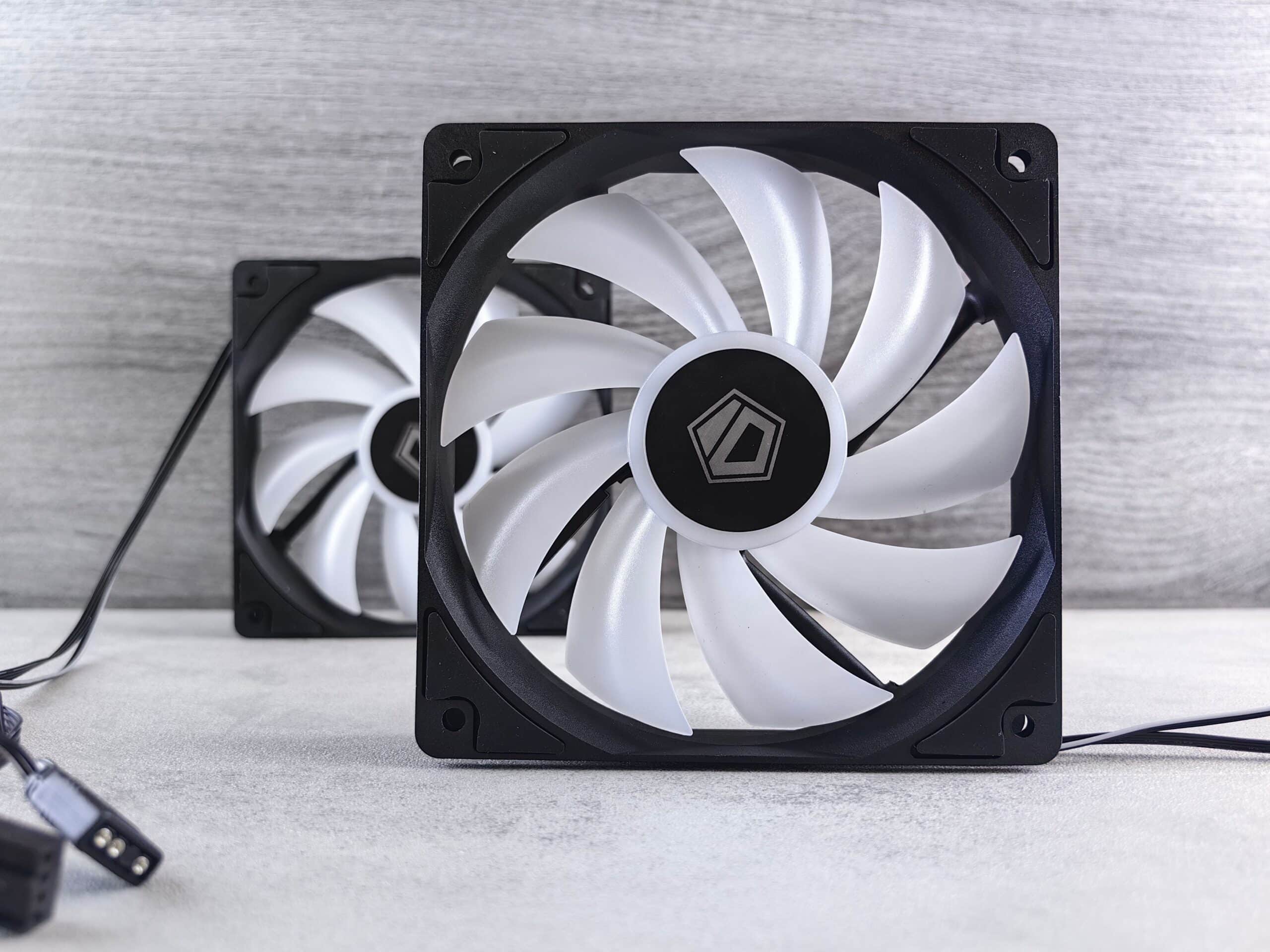
The most frequent culprit behind a wobbling fan is unbalanced blades. Over time, dust, dirt, and grime accumulate unevenly across the blades, throwing off their weight distribution. Even a small amount of debris on one blade can cause noticeable wobbling during operation.
Easy Fix: Turn off and unplug your fan, then thoroughly clean each blade with a damp microfiber cloth. For ceiling fans, use a duster designed for hard-to-reach areas. After cleaning, inspect the blades to ensure they’re all the same weight and shape. If cleaning doesn’t solve the problem, you can purchase an inexpensive balancing kit, which includes weighted clips and adhesive weights to even out blade distribution.
Bent or Warped Blades
Fan blades can become bent or warped due to accidental impacts, improper storage, or exposure to heat and humidity. Warped blades disrupt the aerodynamic balance, causing the fan to shake while spinning. This is especially common with plastic blades that degrade over time or wooden blades that absorb moisture.
Easy Fix: Inspect each blade carefully by examining it at eye level. Look for any blades that sit higher or lower than the others. For metal blades, you can gently bend them back into alignment. For severely warped plastic or wooden blades, replacement is the best option. When measuring blade alignment, hold a ruler or yardstick at a fixed point and rotate the blades manually to check that each one passes at the same distance.
Loose Screws and Hardware
Vibrations from regular use can gradually loosen the screws that hold the blades, blade arms, and motor housing together. Loose hardware allows components to shift slightly during operation, resulting in wobbling that worsens over time if left unaddressed.
Easy Fix: With the fan powered off, tighten all visible screws using the appropriate screwdriver. Pay close attention to the screws connecting the blades to the blade arms and the arms to the motor. For ceiling fans, also check the screws securing the fan to the mounting bracket and the bracket to the ceiling. Periodically re-tightening these screws as part of routine maintenance prevents future wobbling.
Improper Mounting (Ceiling Fans)
Ceiling fans require secure, level installation to operate smoothly. If your fan wasn’t mounted correctly, or if the mounting bracket has shifted, wobbling is almost inevitable. An improperly installed fan can also be dangerous, increasing the risk of the unit detaching from the ceiling.
Easy Fix: Verify that your ceiling fan is attached to a fan-rated electrical box, which is specifically designed to support the weight and movement of a fan. Standard electrical boxes aren’t strong enough and can lead to instability. Ensure the mounting bracket is tightly secured to the ceiling joist or support beam. If the canopy (the decorative cover at the ceiling) is loose, tighten it to eliminate any movement at the mounting point.
Worn or Damaged Motor Bearings
The motor’s bearings allow the fan to spin smoothly. When these bearings wear out or become damaged, they create friction and instability, leading to wobbling, grinding noises, and reduced performance. This issue is more common in older fans or those that have seen heavy use.
Easy Fix: Listen for unusual sounds like grinding or squeaking, which often accompany bearing problems. Some bearings can be lubricated with a few drops of machine oil to restore smooth operation. However, if the bearings are severely worn, the motor may need professional repair or replacement. For older, inexpensive fans, replacing the entire unit is often more cost-effective.
Uneven or Unstable Surface (Pedestal and Table Fans)
Pedestal and table fans rely on a stable base to function properly. Placing them on uneven floors, carpets, or wobbly tables can cause the entire unit to shake. Additionally, a loose or improperly assembled base contributes to instability.
Easy Fix: Move your fan to a flat, level surface and ensure all base components are securely tightened. For pedestal fans, check that the height-adjustment mechanism is locked firmly in place. If your floor is uneven, consider placing a rubber mat or stabilizing pad beneath the base to reduce vibrations and improve stability.
Misaligned Blade Arms
The blade arms (also called blade irons or brackets) connect the blades to the motor. If these arms become bent or are installed at slightly different angles, the blades won’t sit at uniform heights, causing wobbling. This is a common issue after moving or reinstalling a fan.
Easy Fix: Measure the distance from the ceiling (or a fixed reference point) to the tip of each blade. All measurements should be identical. If one blade arm is misaligned, gently bend it to match the others, or replace it if it’s damaged. Tightening the screws connecting the arms to the motor can also resolve minor misalignments.
Accumulated Dust Inside the Motor
Beyond the blades, dust can also accumulate inside the motor housing and around the internal components. This buildup can cause overheating, increased friction, and imbalanced operation, all of which contribute to wobbling.
Easy Fix: Use a can of compressed air to blow dust out of the motor housing and vents. Avoid using water or liquid cleaners near electrical components. Regular cleaning of the motor area, ideally every few months, keeps your fan running smoothly and extends its lifespan.
When to Call a Professional
While most wobbling issues can be resolved with simple DIY fixes, certain situations warrant professional help. If your ceiling fan wobbles excessively despite balancing and tightening, or if you notice electrical issues like flickering lights or burning smells, contact a licensed electrician. Persistent wobbling could indicate a structural problem with your mounting or wiring that requires expert attention.
Preventive Maintenance Tips
Keeping your fan wobble-free is easier with regular maintenance. Clean your fan blades monthly to prevent dust buildup, and inspect screws and hardware every few months. Avoid hanging objects on the fan or placing excessive weight on the blades. For ceiling fans, ensure they’re installed by a qualified professional using fan-rated boxes and brackets.
By addressing these common causes—unbalanced blades, loose hardware, improper mounting, worn bearings, and unstable surfaces—you can eliminate wobbling and enjoy quiet, efficient cooling. Regular care not only improves performance but also extends the life of your fan, saving you money on repairs and replacements in the long run.